Pages

Monday, November 11, 2019

How to Use Vident iLink400 Perform Vehicle Diagnostic Functions


After a system is selected and the scan tool establishes communication with the vehicle, the
Function Menu displays.Now you can use Vident iLink400 tool to diagnose vehicle,now here vident-tech will instruct you how to use it to perform vehicle diagnose.

Friday, October 25, 2019

Toyota TPS Fault Codes Read & Clear by Vident iLink450

This instruction show you test repaort on Vident iLink450 to read and clear diagnostic trouble code for Toyoa throttle position sensor(TPS).

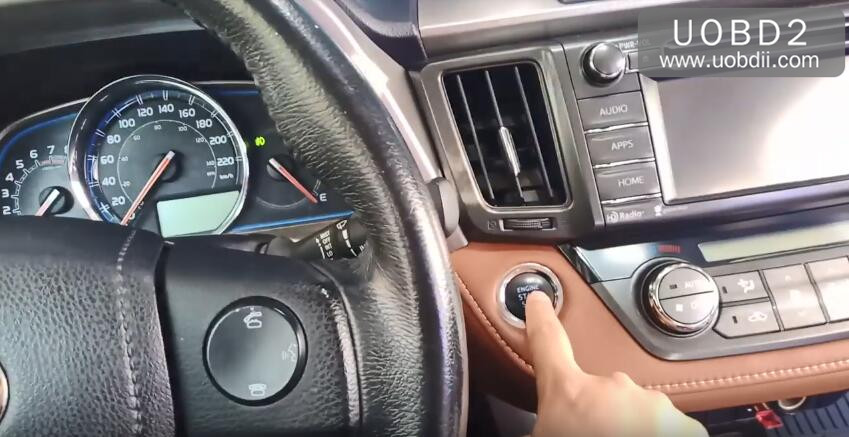
Turn on enegine
vident-ilink450-toyota-review-1 

Monday, October 21, 2019

How to Use Vident iLink400 to Perform Auto Scan and Control Unit Selection?

This instruction show you guide on how to perform auto scan and control unit selection by Vident iLink400 When you have completed the identification of vehicle by Vident iLink400, a menu for selecting systems to test displays. Menu options typically are
● Auto Scan
● Control Unit
More about Vident,you can check vident website:Vident Official Website

Auto Scan
Auto Scan performs an automatic system test to determine which control modules are installed on the vehicle and obtain diagnostic trouble codes (DTCs) overview.
1. Select Auto Scan from the menu and press OK to start.

Friday, October 18, 2019

How to Use Vident iLink400 to Identify Vehicle?

The vehicle identification information presented is provided by the ECM of the vehicle being tested. Therefore, certain attributes of the test vehicle must be entered into the scan tool to ensure the data displays correctly. The vehicle identification sequence is menu driven, you simply follow Vident iLink400 OBD2 Scanner screen prompts and make a series of choices. Each selection you make advances you to the next screen.
How to Use Vident iLink400 to Read I/M Readiness Status Data? 

It typically identifies a vehicle by any of the following means, The options available vary by vehicle manufacturer, not all the following options are available for all vehicles.
● Automatic VIN acquisition
● Manual VIN entry
● Manual vehicle selection
● Vehicle data recorder

iLink400 Automatic VIN Acquisition
Automatic VIN Acquisition only available on some manufacturers. It allows to identifying a vehicle by automatically requesting the vehicle identification number (VIN).

1. When a vehicle make has been selected, the following screen displays. Select VIN acquisition from the menu, and press the OK key.

Monday, April 22, 2019

How to Register Vident iAuto700 Diagnostic Tool?

Here uobd2 share the procedures on how to register Vident iAuto700 all system diagnostic tool.


Procedures:

Step 1: find out the VIDENT iAuto700 serial number and password for registration.

Please connect the VIDENT iAuto700 scanner with a computer with the USB cable provided to boots up it. Select "Setup" on the menu, then "About" and you can see "Product serial number" and password.

Take the user S/N# 7000315001361 for example.


Step 2: login the official site to register.

http://www.videnttech.com/register/step_two.html

As required, to input user ID, password, first name & last name, Country, phone, email and captcha etc.


Or you can download the "iAuto700 software Update client" to install on your computer to register. Firstly click on "Update client and manuals" and then "iAuto 700".


Friday, April 19, 2019

How does VIDENT iLink400 diagnose Land Rover L319 2006?


Here UOBD2 share the guide on how to use Vident iLink400 Scanner to do diagnosis and special function for Land Rover L319 2006.Hope it helps!


VIDENT iLink400 diagnosed Land Rover L319 2006:
Select the car: 2006 Land Rover L319

Saturday, February 23, 2019

All system diagnostic & service tool VIDENT iAuto700 user manual

All-system all-makes diagnostic & service tool VIDENT iAuto700 user manual: capabilities & car list, multi-languages, update, registration, software download etc. 
Why VIDENT iAuto700 instead of the other all-makes scanners?
1.Has both OBDII diagnostic capability and service reset special functions on 52 makes in total. 2.16 languages are available incl.
English, French, German, Spanish, Italian, Dutch, Polish, Swedish, Simplified Chinese, Traditional Chinese, Japanese, Korean, Portuguese, Hungarian, Russian, Thai.  
3-year update online for free. 
4.Cheap. about 200USD.    
Here we go one by one.
Free download VIDENT iAuto700 user manual  
1.VIDENT iAuto700 capabilities: OBD2 diagnostic: All system diagnosis including engine, transmission, ABS, Airbag, instrument, steering wheel, etc. vident-iauto700-obd2-diagnosis-01